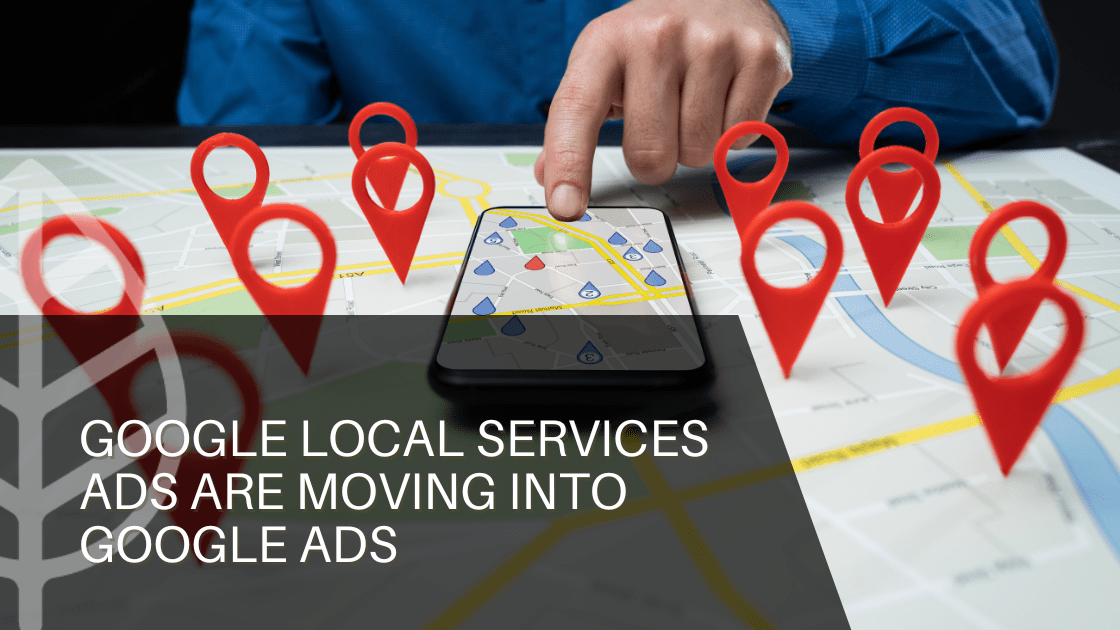
Google Local Services Ads Are Moving Into Google Ads: What Businesses Need to Know

If your business currently relies on Google Local Services Ads, also known as Google Verified, a significant change is coming to the way those campaigns are managed.

Google is moving Local Services Ads into Google Ads through a new Performance Max campaign type built around Pay Per Lead (PPL) goals. At first glance, that may sound like a technical platform update. For business owners, however, it raises more practical questions: Will leads still come through? Will the cost structure change? What happens to an existing campaign? And what should businesses do before the transition?

The short answer is that the core purpose of Local Services Ads is staying intact. The bigger change is where the campaigns live and how they are managed.

Here is what businesses should know.

Key Highlights

  • Local Services Ads are moving into Google Ads as Pay Per Lead Performance Max campaigns.
  • The pay-per-lead model, local targeting, and Google Search and Maps visibility will remain.
  • Businesses should export historical LSA performance data before migration and review their Google Business Profile.
  • The transition creates an opportunity to evaluate PPL campaigns alongside broader Google Ads and lead generation strategies.

Your Local Services Ads Strategy Is Not Disappearing

The most important thing to understand is that Google is not eliminating the pay-per-lead model that makes Local Services Ads attractive to many service businesses.

Businesses will continue paying for valid leads, such as phone calls and messages, rather than paying for every click. The campaigns will continue focusing on customers searching for local services, and ads will continue appearing on Google Search and Google Maps.

Local targeting is also staying familiar. These campaigns remain keywordless, meaning businesses are not building traditional keyword lists to determine which searches trigger ads. Instead, Google uses information such as the services offered, business categories, service areas, and other relevant business information to connect businesses with potential customers.

That distinction matters.

For a roofing company, HVAC contractor, plumber, electrician, or other local service provider, the objective is not simply to generate website traffic. The objective is to connect with someone who needs the service and is ready to take action.

That fundamental idea is not changing.


So What Actually Is Changing?

The biggest shift is the platform itself.

Instead of managing Local Services Ads through a separate dashboard, businesses will manage migrated campaigns inside Google Ads as Pay Per Lead Performance Max campaigns. This brings local lead generation closer to the rest of a business’s paid advertising strategy.

Budgets, campaign settings, lead management, and other controls will move into Google Ads. Some of the controls businesses may be accustomed to using in Local Services Ads will also change.

For example, manual bidding and industry-level Target CPA settings are being phased out as campaigns move into Google Ads. Weekly budgets will also transition to Google Ads’ daily average budget structure.

That does not necessarily mean a business will spend more. It does mean that campaign budgeting and optimization will need to be evaluated differently.

This is where having a clear performance baseline becomes useful.

Before a campaign moves, businesses should understand their current lead volume, cost per lead, lead quality, and overall return. Without that historical context, it becomes much harder to determine whether a post-migration change is actually meaningful.


Google Business Profile Becomes Even More Important

Another piece of the transition deserves attention: Google Business Profile.

Google will use information from a business’s Google Business Profile when setting up the migrated campaign. Core details such as the business name, physical address, and business hours will sync into Google Ads, while other information, such as photos and service areas, can support campaign setup.

That makes keeping the profile accurate more than a local SEO housekeeping task.

Consider what happens when a customer sees an ad, checks the business on Google, reads reviews, looks at photos, and decides whether to make a call. The advertising campaign may generate the initial attention, but the business profile can help reinforce the decision.

  • Businesses should therefore review their Google Business Profile before migration and make sure important information is current.
  • Keep business name, address, hours, services, photos, and other profile information accurate.
  • Google Business Profile information supports campaign setup and local advertising.
  • Reviews and business information can reinforce trust after customers discover the business through an ad.
  • Treat GBP optimization as part of the overall paid and local marketing strategy, not a separate task.


There Is One Important Thing to Save Before Migration

Historical campaign data deserves special attention.

Google states that previous campaign-level performance reports will not transfer into Google Ads. That includes historical metrics such as impressions, clicks, spend, and ad-level performance reports. Customer lead history, however, will transfer into the new Lead Manager experience.

That means businesses should export important Local Services Ads performance data before their campaign migrates.

Why does that matter?

Because the data provides a benchmark.

If a campaign generated 40 leads per month at a particular cost before migration, that information gives a marketing team something concrete to compare against afterward. Without it, a business is essentially judging the new system without knowing where it started.


When Will the Migration Happen?

Google is rolling out the change in phases rather than moving every advertiser simultaneously.

  • Migration begins in phases starting in August 2026.
  • Select U.S. home and storefront service advertisers are among the first to transition.
  • Broader U.S. migration is expected later in 2026.
  • Remaining categories and non-U.S. accounts are expected to transition in 2027.

Businesses will receive advance notification before their scheduled migration. Google says account administrators will receive an email 14 days before the migration date, along with an alert inside the existing Local Services Ads dashboard.

Google also recommends allowing up to two weeks for the migration process to fully complete and for campaign performance to stabilize.

That is an important reason not to make major decisions based on the first few days of performance.


What Should Businesses Do Now?

Preparation does not need to be complicated.

Start by exporting historical Local Services Ads reports. Review current lead quality and cost per lead. Make sure the Google Business Profile is accurate. Confirm that the appropriate business owners and marketing partners have the necessary Google Ads access.

Then, think beyond lead volume.

Are the leads turning into appointments? Are they becoming customers? Is the cost of acquiring those customers reasonable?

Those questions will become increasingly important as PPL campaigns become part of the broader Google Ads ecosystem.

Businesses should also remember that a Pay Per Lead Performance Max campaign is not the same thing as a traditional Performance Max campaign. PPL campaigns are specifically designed around local lead generation and continue to focus on Google Search and Maps rather than the broader range of placements used by standard Performance Max campaigns.

At the time of this writing, Google also does not allow advertisers to create new PPL Performance Max campaigns directly within Google Ads. Google says that capability will become available later.

For the latest information, businesses can review Google’s official Local Services Ads migration guidance.


What Does This Mean for Your Marketing Strategy?

The migration is an opportunity to take a broader look at how Google advertising supports business growth.

Search campaigns, standard Performance Max campaigns, PPL Performance Max campaigns, and Google Business Profile can each serve different purposes. The right mix depends on the business, market, competition, budget, and customer journey.

The question is no longer simply, “How do we get more leads?”

A better question may be, “How do we generate the right leads at a cost that supports profitable growth?”

That shift in thinking is where strategy matters.

Google is changing the infrastructure behind Local Services Ads, but businesses still need a marketing strategy that connects advertising spend to real business outcomes.

  • Evaluate PPL Performance Max alongside Search, standard Performance Max, and Google Business Profile.
  • Focus on lead quality and customer acquisition, not just lead volume.
  • Establish current performance benchmarks before migration to make post-migration comparisons meaningful.
  • Use the transition as an opportunity to evaluate whether the overall Google marketing strategy supports profitable growth.


Why The AD Leaf?

The Local Services Ads transition is another example of how quickly digital marketing platforms continue to evolve. For businesses, keeping up with the changes is important, but understanding what those changes mean for growth is even more valuable.

The AD Leaf Marketing Firm is a full-service marketing agency that helps businesses navigate evolving digital marketing platforms, from Google Ads and Google Business Profile to broader lead generation and AI Marketing Strategy.

If your business currently uses Google Verified, is preparing for the Local Services Ads migration, or is considering a new approach to lead generation, reach out to The AD Leaf Marketing Firm. Our team can help evaluate your current strategy, prepare for the transition, and identify opportunities to build a stronger marketing strategy as Google’s advertising ecosystem continues to change.

nextdoor vs Google ads

Nextdoor Ads vs. Google Ads

Nextdoor Ads vs. Google Ads: Advertising for Local Leads

Are you a business owner struggling to capture the attention of your ideal local audience and convert them into loyal customers? In today’s competitive landscape, effective local advertising strategies are paramount for sustained growth. This article delves into a comprehensive comparison between Nextdoor Ads and Google Ads, two powerful platforms that can significantly boost your local lead generation. By understanding their unique strengths and how they cater to different advertising needs, you can make an informed decision to optimize your marketing spend and achieve remarkable results.

Key Takeaways:

  • Nextdoor Ads excel in hyper-local targeting, connecting businesses directly with residents within specific neighborhoods, making them ideal for services with a geographic constraint.
  • Google Ads offer unparalleled reach and intent-based targeting through search queries, allowing businesses to capture customers actively seeking their products or services.
  • The ad formats and engagement opportunities vary significantly, with Nextdoor emphasizing community interaction and Google focusing on diverse ad types across its vast network.
  • Understanding the cost per click and overall budgeting considerations for both platforms is crucial for maximizing ROI and selecting the most cost-effective solution for your specific business goals.

Introduction to Local Advertising Strategies

Understanding the nuances of local advertising is crucial for any business aiming to thrive in its community. Local advertising strategies are designed to connect businesses with customers in their immediate geographic area, fostering community engagement and driving foot traffic or local service inquiries. For many local businesses, the ability to effectively reach and convert nearby residents can be the ultimate determinant of success, making a well-crafted local ad campaign indispensable for growth and sustained revenue.

Understanding the Importance of Local Advertising

Local advertising is incredibly important for businesses that rely on a nearby customer base, as it allows them to target potential clients in a specific geographical area. By focusing on local residents, businesses can build stronger community ties, enhance brand recognition within their service radius, and cultivate a loyal customer following. This approach ensures that marketing efforts are not wasted on a broad, uninterested audience, but instead are precisely directed towards those most likely to become paying customers, leading to a higher return on investment and more efficient use of resources.

Why Choose Nextdoor Ads for Your Neighborhood?

Nextdoor Ads offer a unique opportunity for businesses to directly engage with a hyper-local audience within specific neighborhoods. This social media platform is built around community interaction, allowing business owners to promote their business page and local deals to verified Nextdoor users who live just around the corner. If you want to advertise on Nextdoor, you can leverage its community-centric environment to build trust and promote your business to local residents, making it an excellent choice for services deeply embedded in the community fabric.

Overview of Google Ads for Local Businesses

Google Ads provide an expansive and powerful platform for local businesses to reach a broader audience actively searching for products and services. With Google Ads, a business owner can leverage search intent to display their ads directly to users who are already looking for what they offer, often with a local modifier. This platform offers diverse ad formats and allows businesses to appear prominently in search results and on Google Maps, making it an essential tool for capturing high-intent leads and expanding a business’s online visibility far beyond a single neighborhood.

How Is Nextdoor Advertising Different from Google Ads?

Nextdoor advertising and Google Ads serve distinct purposes, and understanding their differences is crucial for effective local marketing. While both platforms aim to connect businesses with potential customers, their fundamental approaches to targeting, ad formats, and engagement vary significantly. A comprehensive Nextdoor Ad vs. Google Ads comparison reveals how each platform can be strategically utilized, depending on your specific local business needs and target audience, ultimately influencing your advertising strategies and overall campaign success.

Target Audience: Neighborhood Focus vs. Broader Reach

Nextdoor Ads are inherently designed for a neighborhood focus, directly targeting verified local residents who live within specific community boundaries. This platform is perfect for businesses that thrive on hyper-local engagement.

In contrast, Google Ads offer a much broader reach. The table below highlights key differences in targeting and ideal use cases:

Platform Targeting / Reach Ideal For
Nextdoor Ads Verified local residents within specific community boundaries Restaurants, local services, small retail shops relying on nearby foot traffic
Google Ads Based on search intent, demographics, and geographic parameters (beyond a single neighborhood) Businesses seeking wider visibility and a larger potential customer base

 Ad Formats and Engagement Opportunities

Nextdoor Ads primarily emphasize community-driven ad formats and engagement opportunities, allowing businesses to post local deals, announcements, and create a business profile that integrates seamlessly into the neighborhood feed. This fosters direct interaction and builds trust within the local community.

Conversely, Google Ads offer a diverse array of ad formats, allowing for various ways to engage with users across Google’s vast network, catering to different stages of the customer journey and offering extensive customization. Here’s a breakdown of some of their ad formats:

Text Ads Concise, text-based advertisements.
Display Ads Visual advertisements shown across websites.
Video Ads Advertisements in video format.
Shopping Ads Ads showcasing products directly.

Cost and Budgeting: Nextdoor Ads Cost vs. Google Ads Investment

When considering cost and budgeting, Nextdoor Ads typically involve a more localized and often less competitive pricing structure, making it a potentially cost-effective option for businesses with a strict local focus. Businesses can often promote their business within specific neighborhoods for a predictable fee, appealing to business owners seeking transparent pricing.

Platform Cost Model
Nextdoor Ads Predictable fee for promotion within specific neighborhoods.
Google Ads Cost-per-click (CPC) model, fluctuating based on keyword competition and ad quality.

Google Ads investment requires careful optimization to manage the cost-per-click effectively and maximize return on investment, making it a more dynamic and potentially higher investment.

Getting Started with Nextdoor Advertising

Beginning your journey with Nextdoor advertising is a straightforward process that can significantly enhance your local business’s visibility within its target neighborhood. This platform provides a unique opportunity for a local business owner to connect directly with local residents, building trust and fostering community engagement. Getting started effectively means understanding the fundamental steps from setting up your business page to launching your first ad campaign, all designed to help you promote your business and capture a dedicated local audience.

Creating Your Business Page on Nextdoor

To effectively advertise on Nextdoor, the first crucial step is creating a compelling Nextdoor business page. This page serves as your local business’s digital storefront within the neighborhood, allowing local residents to learn about your products and services. Ensure your business profile is comprehensive, including accurate contact information, appealing descriptions of your local services, and high-quality images. A well-optimized Nextdoor account and business page are essential for attracting potential customers and establishing your presence within the community, making it easier for users to find and engage with your offerings.

Verifying Your Business for Trust and Credibility

Verifying your business on Nextdoor is a critical step that builds trust and credibility with your local audience. The verification process assures Nextdoor users that your business is legitimate and operates within their community, making them more likely to engage with your ads and services. This step is essential for any local business owner looking to promote their business with integrity and establish a reliable reputation among local residents, proving that you are a trusted part of the neighborhood. A verified business profile enhances the effectiveness of your Nextdoor advertising strategies.

Setting Up Your First Nextdoor Ad Campaign

Setting up your first Nextdoor ad campaign involves a few key steps to ensure your message reaches the right local audience. Utilize the Nextdoor Ads Manager to define your target neighborhood, budget, and ad content, whether it’s a local deal or a service announcement. Carefully consider your call to action and what specific local services or products you want to highlight. By strategically configuring your ad campaign, you can maximize the chances of local residents seeing and acting upon your Nextdoor ad, effectively helping you promote your business and generate valuable local leads. Ensure your first Nextdoor ad is compelling and clearly communicates the value you offer to the neighborhood.

Best Practices for Effective Local Ads

To maximize the impact of your Nextdoor advertising efforts, adhering to best practices is essential for creating local ads that resonate with your target audience. Effective advertising strategies on Nextdoor focus on crafting compelling ad copy, utilizing relevant visual elements, and meticulously tracking performance metrics. By implementing these best practices, a local business owner can significantly enhance engagement, drive more traffic, and ultimately achieve a higher return on investment from their Nextdoor ad campaigns, strengthening their position within the neighborhood.

Crafting Compelling Ad Copy for Your Nextdoor Ads

Crafting compelling ad copy is paramount for making your Nextdoor ads stand out and capture the attention of local residents. Your ad copy should be concise, highlight the unique benefits of your local services, and include a clear call to action that encourages Nextdoor users to engage with your local business. Focus on addressing specific neighborhood needs or offering exclusive local deals that create a sense of urgency and value. Effective ad copy ensures that when local residents see your Nextdoor ad, they are immediately interested and motivated to learn more or make a purchase, driving a better cost-per-click and overall campaign performance.

Visual Elements: What Works Best in Local Advertising?

Visual elements play a crucial role in the success of your Nextdoor advertising, as they help your local ads grab attention and convey your message quickly to local residents. High-quality, relevant images or short videos that showcase your local business, products, or services perform best. Consider using visuals that depict local landmarks, happy customers, or the immediate results of your local services to create a stronger connection with the neighborhood. Compelling visuals can significantly increase the click-through rate of your Nextdoor ad, making your advertising strategies more effective and helping you promote your business more efficiently.

Tracking Performance: How Nextdoor Ads Work and Metrics to Monitor

Understanding how Nextdoor Ads work and diligently tracking their performance is vital for optimizing your advertising strategies and maximizing your return on investment. The Nextdoor Ads Manager provides key metrics such as impressions, clicks, and engagement rates, allowing you to assess the effectiveness of each Nextdoor ad. Monitor your cost-per-click and conversion rates to determine which local deals and ad copies resonate most with the local audience. Regularly analyzing these metrics helps a local business owner refine their campaigns, allocate their budget more effectively, and ensure their Nextdoor advertising efforts consistently deliver strong results in reaching local residents.

Nextdoor Ads vs. Facebook Ads: Which Is Right for You?

Deciding between Nextdoor Ads and Facebook Ads requires a careful evaluation of your specific marketing objectives and target audience. While both are powerful social media platforms for advertising, they cater to different engagement models and audience behaviors. Understanding the nuances of Nextdoor Ads versus Facebook Ads is essential for any local business owner looking to optimize their advertising strategies and achieve maximum reach within their desired local audience. This comparison will help you determine which platform aligns best with your local business goals.

Comparative Analysis of Audience Engagement

When comparing Nextdoor Ads vs. Facebook Ads, a key differentiator lies in audience engagement. Nextdoor advertising thrives on hyper-local community interaction, where Nextdoor users actively engage with content and local deals relevant to their immediate neighborhood. This fosters a sense of trust and direct connection for a local business owner. Facebook Ads, while offering extensive demographic and interest-based targeting, often result in broader, less community-specific engagement, as users interact with a vast array of content beyond their immediate geographical area, making the approach to promote your business distinctly different.

Ad Effectiveness: Local Services and Community Engagement

The effectiveness of Nextdoor Ads for local services and community engagement is often superior for businesses deeply embedded in a specific neighborhood. a Nextdoor ad can directly reach local residents seeking services within their immediate vicinity, making it ideal for plumbers, landscapers, or local restaurants. In contrast, Facebook Ads, while capable of geo-targeting, may lack the inherent community context that drives Nextdoor users to engage with local businesses specifically. For optimal local services promotion and fostering strong community ties, Nextdoor advertising strategies often yield more direct and relevant interactions with the local audience.

Cost Comparison: Nextdoor Ads vs. Facebook Advertising

When evaluating the cost-per-click and overall investment, the Nextdoor Ads cost model can be more straightforward and often less competitive than Facebook Ads, especially for highly localized campaigns. A local business owner can often get started with Nextdoor advertising with a predictable budget, focusing on specific neighborhoods without extensive bidding wars. Facebook advertising, with its vast global audience and diverse ad inventory, can sometimes lead to a higher cost-per-click, particularly for popular niches, requiring more sophisticated bidding strategies to optimize spending. Choosing between Nextdoor vs. Facebook largely depends on the scale of your target audience and budget flexibility.

Frequently Asked Questions about Nextdoor Ads

What are the costs associated with Nextdoor Ads?

The costs associated with Nextdoor Ads can vary depending on several factors, including your target neighborhood, the duration of your campaign, and the specific ad formats you choose. Generally, Nextdoor advertising offers a more accessible entry point for a local business owner compared to some larger platforms, with options to promote your business through local deals or sponsored posts. While there isn’t a fixed cost-per-click, businesses can set daily or overall budgets within the Nextdoor Ads Manager, allowing for flexible spending to reach their desired local audience without overcommitting, making it easier to manage your advertising strategies.

How do I promote my business effectively on Nextdoor?

To promote your business effectively on Nextdoor, start by creating a comprehensive Nextdoor business page and ensuring you verify your business for enhanced credibility with local residents. Engage with Nextdoor users by sharing relevant local deals, posting community updates, and actively responding to comments and reviews. Utilize the Nextdoor Ads Manager to target specific neighborhoods with tailored ad content, highlighting your unique local services. Regularly update your business profile and experiment with different Nextdoor ad formats to discover what resonates best with your target audience, solidifying your presence as a valued local business.

Can I run a Nextdoor Ad campaign for local services?

Absolutely, running a Nextdoor Ad campaign for local services is one of the platform’s core strengths. Nextdoor advertising is specifically designed to connect local businesses with Nextdoor users seeking services within their immediate neighborhood. Whether you offer plumbing, landscaping, tutoring, or catering, a local business owner can effectively promote your business by targeting specific areas, sharing local deals, and showcasing your expertise. The platform’s emphasis on community engagement makes it an ideal channel to advertise on Nextdoor and generate highly relevant leads for your local services, building trust and a loyal customer base.

How do Nextdoor Ads work in terms of targeting?

Nextdoor Ads work by leveraging precise geographical targeting, allowing a local business owner to reach Nextdoor users in specific neighborhoods, zip codes, or custom-drawn areas. This hyper-local approach ensures that your Nextdoor ad is seen by local residents most likely to utilize your local services or visit your establishment. Beyond geography, you can also target based on interests, making your advertising strategies more refined. The platform’s unique targeting capabilities mean your message is delivered directly to the local audience that matters most, optimizing your efforts to promote your business efficiently.

What are the best practices for creating Nextdoor Ads?

Best practices for creating effective Nextdoor Ads include crafting clear, concise ad copy that highlights the value proposition of your local services or local deal. Use high-quality, relevant images or videos that resonate with the neighborhood and showcase your business’s unique offerings. Always include a strong call to action to guide Nextdoor users on what steps to take next. Regularly monitor the performance of your Nextdoor ad campaigns through the Nextdoor Ads Manager, tracking metrics like clicks and engagement, and be prepared to adjust your advertising strategies to continuously optimize for your local audience.

How does Nextdoor advertising compare to Google Ads?

Nextdoor advertising and Google Ads serve different, yet complementary, purposes for a local business owner. Nextdoor Ads excel in hyper-local community engagement, connecting businesses directly with Nextdoor users within specific neighborhoods, making them ideal for building local brand awareness and driving local deals. Google Ads, on the other hand, focus on capturing intent-based searches, reaching a broader local audience actively looking for specific products or services, often with higher conversion intent. While Nextdoor helps you promote your business within a specific local community, Google Ads help you reach customers actively searching for your offerings across a wider geographical area, making “Nextdoor vs. Google Ads” a choice dependent on your primary goal.

Google ads management for {{lpg_industry}}, pay per click advertising for {{lpg_industry}}

Is My Business Eligible for Local Service Ads?

Is My Business Eligible for Local Service Ads?

Google’s Local Service Ads (LSAs) are a revolutionary pay-per-lead advertising solution designed to connect service providers directly with potential customers in their local area. Unlike traditional pay-per-click (PPC) ads, LSAs allow businesses to pay only when a customer contacts them, ensuring every advertising dollar has a measurable impact.

If your business offers services like plumbing, electrical work, or HVAC, LSAs can put your company at the very top of Google search results, making it easy for local consumers to find and hire you. In this guide, we’ll cover business eligibility, setup, budget management, optimization strategies, and common questions to help you maximize your results with Local Service Ads.

What Are Local Service Ads?

Local Service Ads are specialized ads that appear above traditional search results when consumers search for services in your area. They are designed to streamline the customer journey, taking people from search to booking with minimal friction.

Key features of LSAs include:

  • Pay-per-lead model: Only pay for actual inquiries via phone or messages.
  • Google Guarantee Badge: Trusted businesses can earn a badge, increasing consumer confidence.
  • Lead tracking: Manage and respond to leads directly through Google’s platform or mobile app.
  • Local targeting: Focus on specific service areas to ensure leads are relevant.

LSAs have been rolling out across the U.S. since their introduction, now covering more than 30 markets. As Google continues to expand this ad platform, more service providers have the opportunity to generate highly targeted leads efficiently.

Does My Business Qualify for Google Local Service Ads?

Not every business is eligible for LSAs. Google has strict requirements to ensure only licensed, insured, and reputable businesses participate. The eligibility checklist includes:

  1. State Licenses: Your business must hold proper licenses required for your service area.
  2. Business Insurance: Valid insurance coverage is mandatory.
  3. Service Categories: Your business must belong to one of the approved service categories.
  4. Background Checks: In many cases, Google performs background checks on business owners and employees.

To confirm eligibility, visit the Google Local Services Ads website and check your service area and category.

Current Service Categories Eligible for LSAs

Google currently supports a wide range of service categories, including:

  • Air duct cleaning
  • Appliance repair
  • Auto repair & windshield services
  • Carpet cleaning
  • Electrical services
  • Event planning
  • Garage door repair
  • HVAC
  • Handyman services
  • General contracting
  • Cleaning services
  • Junk removal
  • Lawn care
  • Locksmith services
  • Moving services
  • Painting
  • Pest control
  • Pet boarding and grooming
  • Photography
  • Plumbing
  • Towing
  • Roofing
  • Tree services
  • Tutoring
  • Upholstery cleaning
  • Water damage restoration
  • Window cleaning & repair

Eligibility within these categories may vary depending on local regulations and market availability.

Google Guarantee Badge: Why It Matters

One of the most significant advantages of LSAs is the Google Guarantee Badge, which signals trustworthiness to potential customers. Businesses with this badge have undergone verification of licensing, insurance, and background checks.

Benefits of the Google Guarantee Badge:

  • Increases click-through rates on ads
  • Builds trust with first-time customers
  • May reduce the perceived risk of hiring your service
  • Enhances your ranking in the LSA platform

Earning this badge involves completing the Google verification process, including submitting documentation and passing required checks. For businesses that qualify, it’s often the single most effective factor in improving lead volume.

Managing Your Local Service Ads Budget

LSAs operate on a pay-per-lead model, which differs significantly from traditional Google Ads’ pay-per-click approach. Here’s how to manage your budget effectively:

  1. Set a weekly budget: Google allows flexibility in how much you spend each week. Ads may slightly overspend or underspend in a given week but will not exceed your monthly maximum.
  2. Adjust based on lead volume: If you’re getting high-quality leads, increase your budget to capture more opportunities. Conversely, reduce spending if leads are too low-quality.
  3. Start with a baseline: Most experts recommend budgeting for at least 20 leads per week to maximize data collection and algorithmic optimization.
  4. Monitor ROI: Track the cost per booked service and adjust your budget accordingly to maximize profitability.

LSAs give you a clear picture of ROI because you only pay for actionable leads, making it easier to calculate customer acquisition costs and campaign performance.

Setting Up Your Local Service Ads

Setting up LSAs involves a few essential steps:

  1. Create a Google Business Profile: Make sure your business name, address, and phone number are consistent with other online listings.
  2. Submit licenses and insurance: Upload the necessary documentation for verification.
  3. Select service categories and coverage areas: Be precise about the locations you serve.
  4. Pass background checks: Google may check the business owner and employees.
  5. Set your weekly budget: Determine the number of leads you want to generate.
  6. Publish your profile: Once approved, your LSA ads will start appearing in relevant searches.

Optimizing Your Local Service Ads for Maximum Results

To ensure your LSAs generate consistent, high-quality leads, consider these best practices:

  • Prompt response: Replying quickly to leads can improve your LSA ranking. Google favors businesses with responsive communication.
  • Collect positive reviews: Encourage satisfied customers to leave reviews on your profile. High ratings directly impact ad placement.
  • Accurate business information: Ensure hours, services, and contact info are always current.
  • Regularly monitor lead quality: Use insights from the LSA dashboard to adjust targeting, budget, or service categories.
  • Use appointment booking tools: Streamlined booking reduces friction for customers and increases conversions.

Why LSAs Are Essential for Local Businesses

Search engines like Google remain the primary method consumers use to find local services. LSAs offer several advantages over traditional search advertising:

  • Higher visibility: Ads appear at the top of search results, even above map packs.
  • Pay-per-lead efficiency: Budget goes toward actual inquiries, reducing wasted spend.
  • Trust signals: Google Guarantee Badge increases credibility with potential customers.
  • Actionable insights: Dashboard analytics help you optimize ad performance in real time.

By investing in LSAs, your business can capture more local leads, reduce wasted ad spend, and improve conversion rates for services.

Tips for Getting Started Quickly

  1. Audit your Google Business Profile: Ensure all information is accurate before creating LSAs.
  2. Verify licenses and insurance: Submit documentation early to avoid delays.
  3. Set realistic lead goals: Start small and scale as you gather data.
  4. Optimize reviews: Encourage positive customer feedback to strengthen your profile.
  5. Use automated response tools: Quickly respond to messages or calls to increase lead conversion.

Bottom Line

Google Local Service Ads are transforming how service-based businesses attract local customers. With pay-per-lead pricing, Google Guarantee support, and robust targeting, LSAs offer a cost-effective way to increase visibility and generate more qualified leads.

If your business meets eligibility requirements and you want to maximize local lead generation, now is the time to get started. As a certified Google Partner, we can help you navigate setup, optimize your campaigns, and ensure your business captures every opportunity from LSAs.

Common FAQs About Local Service Ads

Q1: Can any business use LSAs?
No. Your business must be licensed, insured, and fall into an eligible service category in your local market.

Q2: How much does it cost?
Cost varies by industry, location, and lead volume. You only pay when a customer contacts you.

Q3: What types of leads can I expect?
Leads come via phone calls, texts, or booking requests directly through your LSA profile.

Q4: How is LSA ranking determined?
Ranking is based on your Google Guarantee status, review ratings, responsiveness, and lead volume.

Q5: Can I run LSAs alongside Google Ads?
Yes. LSAs complement traditional PPC campaigns by focusing on high-intent, local leads.

Q6: How do I track ROI?
Google provides a dashboard showing leads, booked services, and cost-per-lead metrics.

Google ads management for {{lpg_industry}}, pay per click advertising for {{lpg_industry}}

Google Ads Shifts to User Intent, Not Just Keywords

Google Ads Shifts to User Intent, Not Just Keywords: A Marketer’s Guide to SEO Strategy

Relying solely on keywords for Google Ads is no longer sufficient. Business owners are seeking a solution that aligns their ad spend with genuine search intent, driving higher conversions and maximizing ROI. Discover how to navigate this shift and harness the power of user intent to optimize your Google Ads campaigns for unprecedented success, while considering the capabilities of AI and search intent.

Key Takeaways:

  • Understanding user intent is now crucial for effective Google Ads campaigns, superseding traditional keyword focus.
  • Optimizing your Google Ads for search intent involves aligning ad copy and landing pages to match what users are truly seeking.
  • Leveraging negative keywords and strategic match type selection refines relevance and enhances campaign performance.
  • AI-powered automation and continuous refinement through search term reports are essential for staying ahead in the intent-based advertising landscape.

Consider partnering with The AD Leaf Marketing Firm for expert guidance in navigating these changes and maximizing your ROI through user intent-focused strategies.

If you’re still building Google Ads around keywords, you’re behind. Here’s what that means for eligibility, structure, and PPC strategy.

The world of Google Ads is rapidly evolving, and the traditional emphasis on isolated keywords is waning. Today, the focus is shifting towards user intent. This transformation, driven by Google’s AI algorithm, has significant implications for your pay-per-click (PPC) strategy. Sticking to outdated keyword-centric methods can lead to wasted ad spend and missed opportunities to connect with potential customers who exhibit ready-to-buy signals. It is best to align with intent instead.

Understanding User Intent in Google Ads

What is User Intent and Why Does It Matter?

User intent, at its core, is the underlying reason why someone performs a search query on a search engine. It represents the goal or task the user is trying to accomplish. For marketers, understanding user intent is paramount because it allows them to deliver ads that are relevant and valuable to potential customers. Ignoring user intent means your Google Ads campaigns might miss the mark, resulting in lower click-through rates, reduced conversion rates, and wasted ad spend.

How is User Intent Different from Traditional Keyword Focus?

Traditional keyword focus revolves around bidding on specific keywords that are assumed to be relevant to your product or service. In contrast, user intent seeks to understand the context and purpose behind the search queries. While keywords are still important, they are now seen as a tool to uncover the intent behind the search. This shift allows marketers to create more contextually relevant ads that resonate with the users’ needs, desires, and problems that they’re trying to solve, rather than relying on potentially isolated keywords.

Types of User Intent and Their Implications for Marketers

User intent can be categorized into several types, each with its own implications for marketers. In general terms, user intent may include:

  • Informational intent, where users seek information or answers.
  • Navigational intent, when users try to reach a specific website or page.
  • Transactional intent, indicating a user’s readiness to purchase.
  • Commercial investigation intent, meaning a user researches products or services.

Understanding these distinctions enables marketers to tailor their ad copy, landing page content, and bidding strategies to align with the intent behind the search queries.

Optimizing Google Ads for Search Intent

How to Optimize Your Google Ads Campaigns for User Intent

To optimize your Google Ads for search intent, a few key steps are crucial. These include:

  • Conducting thorough keyword research to identify the intent behind those keywords.
  • Crafting ad copy that directly addresses the user’s intent, highlighting the benefits and solutions your product or service offers.

Ensure your landing page content aligns with the ad copy and provides a seamless experience for the user. Continuously monitor your search term reports to uncover new intent-based opportunities and refine your targeting. The AD Leaf is an SEO agency that can assist in improving search campaigns.

The Three Keyword Match Types (And Why They’re Not the Main Issue)

While match types still have some impact, Google’s AI has lessened it. The three keyword match types—broad match, phrase match, and exact match—determine how closely a user’s search query must match your keywords for your ad to be eligible to appear. In the past, match types were crucial for controlling which search queries triggered your ads. However, with the rise of AI-powered automation, the focus has shifted from precise matching to understanding the underlying user intent. Broad match can now leverage machine learning to identify relevant search queries, even if they don’t contain your specific keywords.

Utilizing Negative Keywords to Enhance Relevance

Negative keywords are an essential tool for refining your targeting and ensuring that your ads appear only for relevant search queries. By adding negative keywords to your Google Ads campaigns, you can prevent your ads from showing for searches that are unrelated to your product or service. This helps to improve your click-through rate, conversion rate, and overall campaign performance. Use negative keywords to block your ads from showing on irrelevant searches, thus refining relevance.

Choosing the Right Match Type for Your Campaign Goals

Selecting the appropriate match type for your keywords is crucial for achieving your campaign goals. Broad match can be effective for expanding your reach and discovering new keyword opportunities, especially when combined with AI max for search campaigns. Phrase match allows for more control over which search queries trigger your ads, while exact match provides the highest level of precision. Consider your campaign objectives, budget, and target audience when determining the optimal match type strategy. You can also utilize dynamic search ads to let Google determine your matches.

Integrating SEO and PPC Strategies Focused on Intent

How to Align SEO Strategies with Google Ads Efforts

Aligning SEO strategies with Google Ads efforts requires a holistic approach that considers user intent across both channels. Digital marketing is no longer about treating SEO and PPC as separate entities; instead, it’s about creating a cohesive strategy. By understanding the intent behind search queries, marketers can ensure that their Google Ads campaigns and SEO optimization efforts complement each other, driving more qualified traffic and conversions. An SEO agency can assist with aligning strategies.

Using AI Tools like ChatGPT for Keyword Research

AI tools like ChatGPT can revolutionize keyword research by providing deeper insights into user intent. Unlike traditional keyword research methods that focus solely on volume and competition, AI-powered tools can analyze conversational patterns and identify the underlying intent behind search queries. This allows marketers to uncover long-tail keywords and create more contextually relevant ad copy and landing page content. Utilizing AI max for search campaigns can improve performance.

Creating High-Relevance Landing Pages for Better Conversions

High-relevance landing pages are essential for improving conversion rates in Google Ads campaigns. A landing page should directly address the user’s intent and provide a seamless experience from the ad click to the conversion. By aligning the landing page content with the ad copy and the user’s search query, marketers can increase engagement and reduce bounce rates. Optimization of landing pages leads to increased conversion. Work with The AD Leaf to make sure your landing pages convert.

Common SEO Issues Related to User Intent

Identifying and Resolving SEO Issues that Impact Google Ads Performance

Several SEO issues can negatively impact Google Ads performance, particularly when user intent is not properly addressed. One common issue is keyword cannibalization, where multiple pages on a website target the same keywords, diluting their relevance and authority. Another issue is poor mobile optimization, which can lead to a negative user experience and lower conversion rates. Identifying and resolving these SEO issues is crucial for maximizing the ROI of your Google Ads campaigns.

How Algorithm Changes Affect Your Marketing Strategy

Algorithm changes in search engines can significantly affect your marketing strategy, particularly when it comes to user intent. Google’s AI algorithm is constantly evolving to better understand and prioritize user intent. As a result, marketers must stay informed about the latest algorithm updates and adapt their SEO and PPC strategies accordingly. Failing to do so can lead to decreased visibility, lower rankings, and reduced traffic.

Measuring Success: Key Metrics to Track Intent-Based Campaigns

Measuring the success of intent-based campaigns requires tracking key metrics that reflect user engagement and conversion rates. Some important metrics to consider include:

  • Click-through rate (CTR), which indicates how relevant your ads are to the search queries.
  • Conversion rate, measuring the percentage of users who complete a desired action, such as making a purchase or filling out a form.

Cost per conversion (CPC) also helps you assess the efficiency of your campaigns. By monitoring these metrics, marketers can refine their targeting and improve the overall performance of their campaigns, with help from The AD Leaf.

Key Takeaways

Summary of Key Insights on User Intent

Understanding user intent is paramount in contemporary digital marketing. Unlike traditional keyword strategies, focusing on the intent behind searches allows marketers to create relevant ads that resonate with users’ needs. This shift, powered by Google’s AI, improves conversion rates and optimizes Google Ads campaigns, ensuring a better ROI on ad spend and increasing relevance.

Importance of Adapting Strategies for Changing Algorithms

The continuous evolution of algorithms, particularly in search engine technology, requires advertisers to adapt their SEO strategy. Staying informed about updates ensures that Google Ads and SEO efforts remain aligned with search intent. The key is to optimize campaigns for relevance and engagement, leading to improved visibility and sustained success in the SERPs.

Why Partnering with The AD Leaf Marketing Firm Can Enhance Your Approach

Partnering with The AD Leaf Marketing Firm provides access to expertise in AI-powered strategies that enhance intent-based optimization. This partnership ensures that Google Ads campaigns are tailored to align with the evolving user behavior, delivering relevant ads and improving conversion rates. With assistance from The AD Leaf, you can stay ahead in the competitive landscape of paid search and SEO services.

FAQs about Google Ads and User Intent

How Important are Keywords in Google Ads?

While keywords remain foundational, Google Ads success now hinges on understanding user intent. Optimize your Google Ads by using keywords to uncover the intent behind searches, and then align your ad copy and landing page content accordingly. This ensures relevance and improves the likelihood of connecting with potential customers exhibiting purchase intent, driving conversion.

How Can I Improve My Google Ads Campaigns for Better ROI?

To improve your Google Ads campaigns, focus on understanding and targeting user intent effectively. Conduct thorough search term reports to identify search queries and optimize your ad copy and landing page content to match. By using AI max for search campaigns and leveraging AI to refine your targeting, you’ll enhance relevance and improve conversion rates.

What Are Negative Keywords and How Do They Work?

Negative keywords are crucial for enhancing the relevance of your Google Ads by preventing your ads from appearing for irrelevant search queries. By adding a keyword list, you can refine your targeting and ensure your ads are only shown to users with the right search intent. This practice improves your click-through rate and conversion rate, optimizing your ad spend.

How Does User Intent Impact SEO Strategies?

User intent is a cornerstone of successful SEO strategy. SEO services revolve around understanding what users are truly seeking and tailoring content to align with those needs. Focusing on user intent ensures that your website provides relevant ads, valuable information, and a seamless experience. This will result in higher rankings and increased organic traffic from search engine results.

Can AI Tools Really Help with Keyword Research?

AI tools like ChatGPT can revolutionize keyword research by providing deeper insights into user intent. These tools analyze conversational patterns to identify the motivations behind search queries, enabling marketers to uncover long-tail keywords and craft more contextually relevant ads. Leveraging AI overviews can significantly improve your understanding of keyword intent.

What Metrics Should I Focus On for Intent-Based Marketing?

For intent-based marketing, focus on metrics that reflect user behavior and engagement. These include click-through rate (CTR), conversion rate, and cost per conversion (CPC). By tracking these metrics, you can assess the relevance and effectiveness of your Google Ads campaigns, refine your targeting, and continuously optimize for better ROI. An SEO agency can help track these metrics.

Why PPC Marketing is Vital for Businesses Growth

Why PPC Marketing is Vital for Businesses Growth

Get Seen by the Right Audience

If you want your business to grow online, you need to be seen by the right people at the right time. While organic strategies like SEO are important, PPC marketing helps you get in front of potential customers faster and drive immediate traffic and leads to your website. Unlike traditional advertising, PPC ensures that your ads are displayed only to those actively searching for your services, making every click count.

What is PPC Marketing?

PPC, or pay-per-click marketing, is a form of online advertising where businesses only pay when someone clicks on their ad. Instead of paying for static ad space, you are investing in direct engagement. This makes it a cost-effective strategy for reaching the right audience. Google Ads and Bing Ads are among the top platforms for running these campaigns, allowing businesses to appear in search results exactly when customers are actively looking for their products or services. PPC also extends beyond search engines—social media platforms like Facebook, Instagram, and LinkedIn offer powerful PPC opportunities to engage potential customers where they spend the most time.

Immediate Traffic and Fast Results

Unlike SEO, which takes time to build momentum, PPC advertising delivers immediate traffic. Once a campaign is launched, businesses can start seeing visitors and potential leads within hours. This makes it an ideal solution for companies that need quick results or want to test different strategies without waiting for long-term organic growth. For businesses launching new products or running promotions, PPC provides an instant boost that can lead to higher conversions. Additionally, seasonal businesses can benefit from running PPC campaigns during peak times to maximize sales opportunities.

Highly Targeted Advertising

One of the greatest advantages of PPC marketing is the ability to target specific audiences. Instead of casting a wide net and hoping for the best, businesses can tailor their ads to reach particular demographics, geographic locations, and even customer behaviors. This ensures that advertising dollars are spent efficiently and that the right people see the message at the right time. Advanced targeting features such as retargeting allow businesses to re-engage visitors who have previously interacted with their website, increasing the chances of conversion. By using lookalike audiences, companies can also find new potential customers who share characteristics with their existing customers.

Budget Control and ROI Optimization

With PPC, businesses set their own daily or monthly limits, ensuring they never overspend. Campaigns can be adjusted based on performance, allowing businesses to focus on high-converting keywords and maximize their return on investment. Through continuous monitoring and data analysis, adjustments can be made in real-time to optimize ad spend and improve results. Unlike traditional marketing methods that require large upfront investments, PPC offers flexibility and control over spending. Plus, with automated bidding strategies, businesses can let machine learning optimize their campaigns for the best possible results.

PPC and SEO: A Winning Combination

Some businesses debate whether they should focus on PPC or SEO, but the reality is that they work best together. PPC offers quick insights into customer behavior, allowing businesses to identify high-performing keywords that can also be used to enhance SEO strategies. By analyzing PPC data, companies can refine their organic search efforts and ensure that their website content aligns with what customers are actively searching for. Running PPC ads alongside SEO efforts can help establish a strong digital presence while driving both immediate and long-term traffic. When both strategies are used effectively, businesses can dominate search engine results, making them nearly impossible to miss.

Gain a Competitive Edge

With online competition growing, standing out from the crowd is more important than ever. PPC campaigns ensure that businesses remain at the top of search results, making them more visible than competitors who rely solely on organic rankings. This advantage can be the difference between gaining a new customer or losing them to a competitor. Additionally, ad extensions and well-crafted ad copy can further enhance the visibility and credibility of a business, increasing the likelihood of attracting clicks. In competitive industries, where SEO rankings can take years to establish, PPC provides an immediate way to gain traction.

Data-Driven Decision Making

Tracking performance is one of the strongest aspects of PPC marketing. Businesses have access to real-time insights on metrics like click-through rates, conversion rates, and customer acquisition costs. This data-driven approach removes any guesswork, allowing businesses to see exactly what is working and what needs improvement. Through A/B testing and performance analytics, businesses can refine their ad strategies, optimize landing pages, and continually improve campaign effectiveness. This level of insight ensures that every advertising dollar is being spent wisely, making PPC one of the most measurable and adaptable forms of digital marketing.

Partner with PPC Experts

At The AD Leaf, we specialize in PPC strategy, execution, and management to help businesses get the most out of their advertising budget. Our team of Google-certified experts ensures that campaigns are optimized for conversions, designed to target the right customers, and continuously improved for better results. Whether you’re looking to generate leads, increase sales, or enhance brand awareness, our expertise in PPC can help you achieve your business goals.

If you’re ready to see how PPC marketing can help your business grow, we’re here to help. Learn more about our Google & Bing Ads Management services and take the next step toward generating high-quality leads and increasing revenue.

3 Quick Tips to Mastering PPC Marketing

Can someone obtain the skill of PPC mastery? We at The Ad Leaf don’t think so, but with our three quick tips, you can become very efficient and proficient at mastering PPC marketing. Instead of many years of trial and error, as well as, thousands of dollars in ad spend wasted simply get a notepad out and make sure to take notes.

Quick Tip #1: Run Mobile Campaigns

According to a Google study, smartphones have become an integral part of users’ daily lives. More and more we see consumers use smartphones as extensions of their home computers and in some scenarios a user’s only daily access to the internet. 

  • 81% browse the Internet, 77% search, 68% use an app, and 48% watch videos on their smartphone
  • 72% use their smartphones while consuming other media, with a third while watching TV
  • 93% of smartphone owners use their smartphones while at home

Mobile search is also very heavily used to research a wide variety of information and the intent is information fast. If you can deliver your point or answer a user’s question quickly, you have their attention over your competitors. 

  • Search engine websites are the most visited websites with 77% of smartphone users citing this, followed by social networking, retail and video-sharing websites
  • Nine out of ten smartphone searches result in an action (purchasing, visiting a business, etc.)
  • 24% recommended a brand or product to others as a result of a smartphone search

With this information in mind, if you’re able to implement a comprehensive mobile campaign into your digital strategy it can be very worthwhile. Deliver your information in a manner that caters to the quick and simple nature of mobile intent to maximize results.

Quick Tip #2: Retargeting/Remarketing

If you’re familiar with the marketing world the chances that you’ve heard the terms “funnel” or “touch points” is very high. But what do these words mean exactly and how can you utilize them to work towards PPC mastery?

A marketing funnel is a visual representation of how you gather your leads. All the way from branding efforts and just ensuring that people know about your brand to high call-to-action messaging such as “Learn More”, “Contact Us”, or “Call Now”. Just like an actual funnel your marketing funnel starts wide and narrows down more as time goes on.

Users trend down the funnel through Retargeting and Remarketing efforts. This is typically middle to lower funnel and ensures multiple touch points in your digital strategy. Think of a follow-up email after you left an item in your cart when shopping on a retailer’s website or a video on Instagram with a restaurant that you googled a week ago. These are just a few of the many ways to add touch points to your funnel to “remind” website visitors or those who have expressed interest that you’re still one of the best options to go to. 

Quick Tip #3: Use Ad Extensions for AdWords Campaigns

This next tip towards PPC mastery is a Google AdWords-specific tip and that is to ensure that your ad assets are all being utilized and accurate. 

Previously known as ad extensions, assets, provide more virtual real estate by making your ad larger in size, but also contains relevant information about your services, locations, or USP “unique selling propositions”. A user’s first impression of your ad gives them an impression of your business as a whole. So tell them all about you in a clean and concise manner and show them that you’re the subject matter expert for whatever it is that their searching for.

Here are a few ways you can use ad assets:

  • Location (Great for local businesses)
  • Sitelinks (Take users to different pages on your site)
  • Call Extension (add your phone number)
  • Seller ratings (showcase your high rating)

Why The AD Leaf?

PPC campaign creation and optimization can sometimes feel like climbing a neverending mountain, let us take the load off your business. We specialize in this field and have the tools and expertise to help drive your business’s success by improving all of your digital strategy, especially PPC marketing. Learn more about what we offer your business, and contact us to plan and design a digital strategy.

How to Choose the Right Negative Keywords for your Google Ads

How to Choose the Right Negative Keywords for your Google Ads

Google Ads can be quite a challenge at first glance. With all the different resources and information on the web, it can take time to find the right negative keywords. Today is your lucky day because today we will dive into what I believe is a good starting point for any Google Ads Campaign, which is none other than negative keywords.

What Are Negative Keywords?

Negative Keywords in Google Ads are a list of keywords you want to exclude from your ads. At first, you may wonder, “Why would you want to exclude keywords? Isn’t that how you rank on Google?” While that is technically correct, excluding keywords that don’t pertain to your product or service can prove invaluable in the long run. 

Negative keywords do not match type to “close variants” (Allows keywords to match that are similar but not identical to the keyword initially targeted.) An example of this would be “socks for mens” and “mens socks” are considered a close variation because they both contain words with the same meaning. Keep this in mind when creating keyword lists for negative keywords. You may have to add other variations to ensure a keyword is fully excluded regardless of word variation or word choice.

Learn More about Close Variations


What Does a Negative Keyword Look Like?

Negative Keywords are similar to common keywords used in Google Ads, with the only exception being they have a (-) at the beginning. Keyword match types include negative broad match, negative phrase match, and negative exact match. An example of each match type can be seen in the following.

Negative Broad Match 

  • -bass amp
  • Negative broad match keywords will exclude your ad if a search contains all of your keywords regardless of the word order. 
  • For example, if someone searches “amp bass” or “Carvin bass amp” then 

Negative Phrase Match 

  • -” bass guitar”

Negative Exact Match  

  • -[bass guitar amp]

The following is an example of how negative keywords are used in Google Ads.

Meet Niko, Niko is an Eastern European Entrepreneur looking to start an online business selling custom drum shells and drum equipment. He wants to sell his drum shells to people of all ages and styles.”

Since Niko is selling custom drum shells a good keyword to start would be “Custom Drum Shells”. Let’s say this is the main keyword we want to revolve around. An example of some negative keywords to select in this situation would be words like

-” guitar”   -[guitar]

-” microphone”   -[microphone]

-” mixing console”   -[mixing console]

These keywords are a good choice for the following reasons.

  • They lower the chances Nikos Ads will display when some searches for other musical instruments such as guitar amps, vocal microphones, 
  • They are specific to certain audiences who may not be interested in custom drum shells.
  • They ensure that Niko only targets people who are interested in drum equipment.

While these keywords are related to music equipment, they have no relation to the product Niko is intentionally trying to sell, which is custom drum shells and drum equipment. This allows Niko to narrow his audience and ensure that his ads aren’t being shown to people not interested in his products/services.

Negative Keywords Rule of Thumb

A good rule of thumb when creating a list of negative keywords is to do it individually rather than all at once. This means that picking a list of 5 keywords related to your industry but not your product would provide more benefit than throwing in a list of 500 irrelevant keywords at one time. 

This is important because it allows you to develop your keyword research strategy and gain helpful insight. Now like many rules, there are some exceptions to this one which we will get to later.

How to Spot a Negative Keyword

Spotting a negative keyword can be tough at times; however, it is good to keep it short and simple. For example, let’s go back to Niko’s Scenario. He is going through his list of Keywords, and he notices that one keyword that is generating impressions is “custom bass amps”, “bass cabs”, and “bass strings”. 

Niko sells drum equipment and has the word “bass” in some of his keywords, so excluding the word “bass” altogether would do more harm than good. Instead, excluding words like -amp, -cab, and -string would be more beneficial. That way, Niko can still use “Bass” in other keywords to help promote his business.

The Use of Symbols in Negative Keywords

Symbols such as asterisks (*), ampersands (&), and accent marks (á) can be used in your negative keywords. This is beneficial to you in many ways when using Google Ads. For example, If you have the words “Red & Blue” as a negative keyword and someone searches “Red and Blue” There is still a possibility that the ad will show up. So it is important to include symbol variations of your negative keywords to ensure that they don’t show up based on a slight variation in language.

Negative Keywords Overview

In short, negative keywords can be a valuable asset in any Google Ads Campaign. It is a good rule of thumb to keep your negative keywords to only 1-2 words per keyword. In addition to that it is also good to include both phrase match as well as exact match for each negative keyword you select. Utilizing symbols can also be useful, and keep an eye out for close variants to ensure all keywords are covered regardless of context or spelling. Following these best practices for negative keywords will allow you to make negative keyword lists like a pro.

Why The AD Leaf?

Since page content has become such a crucial factor in search rankings, writing the correct keywords page is a must, and understanding how important it is will help you grow your business. We specialize in this field and have the tools and expertise to help drive your business’s success by improving your search engine optimization. Learn more about what we offer your business, and contact us to plan and design an SEO strategy in Melbourne, FL.

Content Marketing Trends in 2023

2023 is a new year, meaning new beginnings and content marketing trends. You should keep an eye out for new marketing and business trends, as they could significantly benefit your business. Why is content marketing trends important for your business? This is because they have the potential to show your audience that your company is innovative and not stuck in the past. It is an opportunity to set your business a step higher than competitors. By following current marketing trends, you are saying that you are committed to change and adaptation.

Here at The AD Leaf ® Marketing Firm LLC., we can help you utilize current trends to your advantage. The content marketing team is well-versed in what is currently hot and can use them to help your business grow. If you are interested in utilizing current marketing trends, we can help!

Videos 

In the wake of the COVID-19 pandemic, many people turned to videos to learn more about products and services. As the pandemic has come to an end, the effectiveness of videos is still trending up. TikToks are the major trend in video content currently. These videos appeal to all ages and audiences. You do not have to be a master video editor to make an engaging video for your website and social media channels. The AD Leaf ® Marketing Firm LLC. can help you create the best informative videos for your business.

Social Media Stories

The novelty of social media story features is that shared content can only be seen for a limited time. This time limit can create a sense of urgency in your audience if done effectively. It is also a great way to highlight sneak peeks of other forms of content to pique the consumer’s interest. Stories’ popularity is not fading in 2023, as almost every social media platform has rolled out its competitive story features. Check out this blog post for more information on using these stories to your business’s advantage. 

Ultimate Guides and AI

Some consumers want as much information as possible when researching products or services. If you are a company with customers like this, creating an ultimate guide can attract new business and have you rank higher in organic search results. You can expect an influx of these guides to pop up on your competition’s websites, so do not wait to start compiling one today! 

Artificial Intelligence (AI)

Another huge trend/influence in many aspects of business right now is Artificial Intelligence (AI). There are many platforms now that utilize AI to help their businesses. There are also AI plugins popping up on several social media sites. AI is the future, and at The AD Leaf ® Marketing Firm LLC., we are proud to be with the times. You can expect an influx of these guides to pop up on your competition’s websites, so do not wait to start compiling one today!

Content Marketing Services in Melbourne, FL

The AD Leaf ® Marketing Firm LLC. dedicates itself to helping your brand succeed through content marketing and other services. Our team of content writers will collaborate with you to bring out the best of your pre-existing content and create new content ideas and pages. There is no need to feel nervous about your current content when you work with us. We will work hard to showcase what sets you apart from your competitors. 

Are you ready to bring out the best of your website’s content through our extensive content marketing services? Contact us today at 321-255-0900 to schedule a free consultation.

Don’t Make This Mistake When Generating Leads: Google Ads vs Google Guaranteed

google guarantee local service ad graphic

The main difference between Google Guaranteed and Google Ads is their business model. With Google Guaranteed (also known as Local Service Ads), you only pay at a fixed cost when you receive an actual lead. Google Guaranteed is also a pay-per-lead business model.

Now, Google Ads are a bit different, with Google Ads you pay a small fee (typically $3-$10) when someone clicks on your ad (pay-per-click). The cost of each click depends on the competition of the keyword/phrase you’re targeting.

So, how do you know what’s best for you? Let’s get right into it…

The success of your business depends on your ability to generate leads. It’s plain and simple.

There have been two killers in the lead generation toolbelt of any marketer: Search Engine Optimization (SEO) & Google Ads.

BUT.. a third Google platform has been on the horizon for the past three years:

Google Guaranteed.

While Google Ads has some longevity in the paid ads arena, Google Guaranteed is just getting started and looks like a long-term stay in the market. We’ll take a look at the new guy, Google Guaranteed, what he brings to the table compared to Google Ads, and why both have a valid place in the marketing atmosphere.

The New Guy: Google Guaranteed/Google Guarantee Local Service Ad

There are many various types of advertising that you can use when developing marketing campaigns for your company, one of which is advertising with Local Services Ads, known as Google Guaranteed, a marketing tool provided by Google for local businesses. The Google Guaranteed program, which enables you to advertise your local business in the home services sector, is a key component of this solution.

Google originally developed this particular advertising platform in 2019 to support lead generation and ensure that clients obtain top-notch service from a business that they have verified. With this service, Google guarantees the legitimacy of the services you provide. If a buyer is dissatisfied and wants a return, they are covered up to $2,000 by Google. This platform has continuously gained popularity for businesses since its introduction.

The Veteran: Google Ads & Google My Business

Google Ads is an advertising platform that has been around for a long time, since October 2000, and actually went by the name of Google AdWords, this platform has been the standard go-to for businesses to advertise. Since it’s inception, Google Ads has become a multi-billion dollar ads platform for Google.

They continue to dominate the ads landscape and look for ways to improve the platform. For example, within the past couple of years, they launched Lead Form Extensions for Google Ads. This allows a contact form link to show with your ad, so someone can contact your business immediately, and you can even add customized questions to ask to help ensure you’re only getting qualified leads.

Google My Business is a powerful tool for local businesses seeking online visibility. It optimizes engagement and boosts local search rankings. By creating a well-optimized listing, businesses can manage customer reviews, appear on Google Maps, and enhance customer experience. The verification process ensures credibility, while insights provide valuable data to refine strategies.

With features like Q&A, photospheres, and service area customization, it caters to diverse business needs. Integrating it with websites and adding call-to-action buttons can drive traffic and conversions. Google My Business empowers businesses to showcase products, post updates, and interact with customers, making it essential for local marketing success.

Ok, So What's the Difference Between Google Search Ads & Google Local Service Ads?

While both Google Ads and Google Guaranteed are great advertising platforms, they have unique standout properties. Google Ads is a Pay Per Click platform, while Google Guaranteed is a Pay Per Lead business model. This is the primary difference that makes these such great advertising models, and your business can benefit from either or both, depending on your marketing goals.

Google Search Ads - Pay Per Click (PPC)

If you want a quick turnaround for leads, then Google Ads is the way to go for your business. They are the industry leaders when it comes to paid ads and even though you can acquire leads in the shortest time, it still takes a well-planned ads strategy in order to be effective.

Google Ads is not a “set it and forget it” strategy, it takes consistent monitoring and updates to your ads in order to find the right target market, so the leads can start flowing in. With Google Ads, your ads appear at the top of the search results page above the “organic” listings (SEO).

Another benefit is that Google Ads is a robust platform and has many options in order to effectively show your ads to the right consumers. You can set up many different ad types:

Search Ads – These are the basic ads that show on the Google search results when you search for “Men’s Running Shoes” for example. They had a small AD square next to the listing.

Display Ads – Ads that have images to showcase your business that can appear on various websites and apps.

Smart Ads – These are mostly automated ad campaigns that can be beneficial when you have a small or limited ads budget.

This is just a small roster of the many campaigns and ads available with Google Ads. They can be a good starting point to get the leads you need to help grow your business, and one highlight is that they are available to almost every type of business.

Google Guarantee Program - All About Local Service Ads

Ok, here’s the (fairly) new kid on the block; Google Guaranteed. It only just launched back in 2019 but has caught the attention of many business owners as another option for bringing in new leads. While Google Ads focuses on displaying ads for people to click on, Google Guaranteed took a different approach: pay per lead.

It’s also known as Local Service Ads, and as the name implies, they are geared toward local businesses to help them draw in local traffic. Another great benefit is that Local Service Ads will appear above Google Ads, placing them as the highest priority when it comes to paid ads.

Well, doesn’t Google Ads do the same thing?

To an extent, yes, but with Google Ads, they can work for businesses that service locally, regionally, or nationally.

The Google Guaranteed difference is that:

  1. You’re paying per lead
  2. The lead is contacting you directly
  3. If a client is unsatisfied with your service, Google reimburses them, not your business.

How Does Google Guarantee Work?

Are you tired of scrolling through endless lists of local businesses, wondering which ones are trustworthy and reliable? Look no further – Google Guarantee is here to ease your worries. Imagine a world where you can book services with confidence, knowing that the company has been thoroughly vetted and meets specific standards. With Google Guarantee, this dream becomes a reality. Picture a distinct green and white check mark badge that serves as a visible symbol of trust and assurance.

But it doesn’t stop there. If for any reason you’re not satisfied with the service provided by a business bearing the Google Guarantee Badge, you’re eligible for a refund. This program not only builds customer confidence but also drives more business to verified companies.

Stick around as we dive deeper into how Google Guarantee works, the benefits it offers both businesses and customers, the qualifications needed to attain this prestigious badge, and the refund policy in case things don’t go as planned. Get ready to enter a world where trust takes center stage!

Key Takeaways, Does Google Guarantee Work?

– Google Guarantee is a program that helps customers find trustworthy and reliable local businesses.

– Businesses that join the program receive a green and white check mark badge that sets them apart from competitors.

– Customers who find businesses through Google Guarantee are eligible for a refund if they are not satisfied with the service.

– Businesses with the Google Guarantee Badge undergo a rigorous vetting process and must meet certain qualifications and standards.

How Google Local Lead Generation Works

So, how exactly does the Google Guarantee program work? Well, it’s important to understand the difference between Google Guaranteed and Google Ads. While both can help boost your business, Google Guaranteed is specifically designed to build customer confidence and trust in local businesses.

When you become a part of this program, you receive a distinctive green and white check mark badge that sets you apart from your competitors. This badge assures customers that your business has been vetted by Google and meets specific standards.

But what are the benefits for businesses? We’ll explore that in the next section.

Benefits for Local Businesses – Am I Eligible For The Google Guaranteed?

Imagine being able to showcase a distinctive green and white check mark badge that instantly boosts customer confidence in your business, giving them the peace of mind they need to choose you over your competitors. With Google Guarantee, you can do just that. By meeting specific standards and undergoing a rigorous vetting process by Google, you become a verified business and are eligible for the Google Guarantee Badge. This badge not only sets you apart from other businesses but also offers customers additional security and reassurance when booking your services.

But it doesn’t stop there. Customers who find your business through this program have the added benefit of being eligible for a refund if they aren’t satisfied with your service. This builds trust and loyalty, ultimately leading to more business opportunities for you.

Now let’s explore the benefits that this program brings to customers…

Google Guarantee For Consumers

Get the peace of mind you deserve by choosing a business with the Google Guarantee Badge, knowing that your satisfaction is guaranteed. When you see that distinctive green and white check mark, it means that the business has been vetted by Google and meets specific standards. But what does this mean for you as a customer? Well, first and foremost, it means that you can trust the business to provide high-quality services.

Whether you’re booking a plumber, electrician, or any other service professional, you can feel confident in their expertise and reliability. And if for any reason you aren’t satisfied with their work, Google has your back. You have the option to request a refund if something goes wrong. So go ahead and choose a business with the Google Guarantee Badge – your satisfaction is their priority.

Now let’s dive into how businesses qualify for this badge and what standards they must meet…

Qualifications and Standards

When choosing a business with the Google Guarantee Badge, you can rest assured that they have undergone a rigorous vetting process and meet high standards to ensure top-notch service. To qualify for the Google Guarantee, businesses must meet certain criteria and maintain good standing. Here are three qualifications and standards that businesses must adhere to:

1. Background checks: Every employee who performs services in customers’ homes must undergo background checks to ensure their trustworthiness.

2. License and insurance verification: Businesses need to provide proof of licenses and insurance coverage to protect both themselves and their customers.

3. Good customer ratings: Companies must maintain a minimum average rating based on customer reviews to demonstrate their commitment to excellent service.

By meeting these qualifications, businesses with the Google Guarantee Badge show that they are reliable, trustworthy, and dedicated to providing exceptional service. Now let’s explore how the refund policy works when you’re not satisfied with your experience.

Refund Policy

If you’re not completely satisfied with your experience, you can simply request a refund through the Google Guarantee program. This policy is designed to give customers peace of mind when booking services from businesses with the Google Guarantee Badge. If you encounter any issues or are dissatisfied with the service provided by a Google Guarantee Badge holder, you have the option to seek a refund. The process is straightforward and hassle-free. All you need to do is contact Google’s customer support and explain the situation. They will review your case and if they find that your complaint is valid, they will initiate the refund process for you. This ensures that customers can confidently choose a business with the Google Guarantee knowing that their satisfaction is valued and protected.

Frequently Asked Questions

How long does it take for a business to get approved for the Google Guarantee program?

On average, it takes about 2 to 3 weeks for a business to get approved for the Google Guarantee program. During this time, Google assesses various factors such as the company’s licensing and insurance information, customer reviews, and overall reputation. They want to ensure that businesses meet their specific standards before granting them the prestigious badge. So while it may take a little time, once approved, you’ll gain access to increased customer confidence and potential refunds if customers aren’t satisfied with your service.

Can businesses in any industry apply for the Google Guarantee?

Yes, businesses in any industry can apply for the Google Guarantee program. Whether you provide plumbing services, home cleaning, or even yoga classes, you have the opportunity to gain customer confidence and loyalty through this certification program. By meeting specific standards and undergoing vetting by Google, you can receive the distinctive green and white check mark badge that assures customers of your reliability and trustworthiness. This helps to build customer confidence and ultimately leads to more business for your industry.

Is the Google Guarantee Badge available in all countries?

No, the Google Guarantee badge is not available in all countries. As of now, it is only available for businesses in the United States and Canada. However, Google has plans to expand this program to other countries in the future. The Google Guarantee program aims to provide customers with additional confidence and security when booking services from verified businesses. So if you’re a business outside of the US and Canada, stay tuned for updates on when this program becomes available in your country!

Are there any ongoing fees or costs associated with being part of the Google Guarantee program?

Yes, there are ongoing fees associated with being part of the Google Guarantee program. Businesses who wish to participate in this certification program are required to pay a monthly fee. The exact cost can vary depending on factors such as the industry and location of the business. However, it is important to note that this fee helps cover the benefits provided by the program, including the Google Guarantee Badge and potential refunds for dissatisfied customers.

How does Google determine if a business meets the specific standards required for the program?

To determine if a business meets the specific standards required for the Google Guarantee program, Google takes several factors into account. They evaluate a company’s licensing, insurance, and background checks on employees. Additionally, they assess customer reviews and ratings to ensure high-quality service. Google also requires businesses to maintain a minimum star rating and respond promptly to customer inquiries. By thoroughly vetting businesses, Google ensures that only reliable and trustworthy companies receive the coveted Google Guarantee Badge.

So Why Would I Not Just Go With Google Guarantee / Get Google Guaranteed Local Service Ad Instead of Google Ads?

Google Guaranteed is limited to certain service-based industries, and there is a verification process. While this may seem to limit for some businesses, one of the reasons Google created this amazing platform is to help fight against fraudulent practices by some businesses taking advantage of customers with misleading services.

While there is a verification process, it’s not painful at all. Google will require information that you will already have:

  • Business License
  • Proof of Insurance
  • Background Check (at no cost to you!)
  • Google Reviews

Ok, Now I Understand, s Which One Is Best for My Local Business Needs?

Both platforms are great and understanding your business needs, we can help you determine which, or if both, will be valuable to you. Google Ads is not as limiting as Google Guaranteed, although there are a few regulated industries. If you want to have a variety of ads at your disposal, Google Ads is the way to go.

If you want to target more qualified leads and are in a qualified home service industry, then Google Guaranteed is a better fit. You get the benefit of leads contacting you directly, and you can book them right in the Local Service Ads platform mobile app.

Who's the Winner, Google Guarantee or Google Ads?

When it comes to having the most effective paid ads strategy, there’s no one winner over the other. Both have a place in your overall marketing strategy and can work together. But now we come to the part that we can’t avoid, Google is a Pay to Play business platform, and the obvious must be said: businesses that have higher ads budgets get more leads. There’s no other way around it. Because of the vast competition out there, companies with good ad spend budgets do fair better than companies with lower budgets.

That’s why The AD Leaf is here. We’ll help you navigate the paid ads marketing space to ensure you’re successful. Minimize the stress and maximize your profits; be ready for a stronger Fall holiday season that’s quickly approaching. Connect with us by phone at 321-255-0900 or email info@theadleaf.com.

I am raw html block.
Click edit button to change this html